

A useful tradie website should quickly answer four customer questions: do you do the work they need, do you cover their area, can they trust the information you provide, and how can they contact you? Those answers matter more than decorative features.
Plan the website around the journey a customer takes on a phone. They may be comparing several businesses while dealing with a leak, a damaged fence or a renovation plan. Make the important details easy to find, but keep every service, qualification, project and response promise accurate for your business.
The mobile customer journey your website should support
Use this sequence to make the essential information and next action easy to find on a phone.
| Customer question | Website content | Evidence to prepare | Primary action |
|---|---|---|---|
| Do you do this work? | Specific services and exclusions | Owner-approved service list | View the relevant service |
| Can I trust the business? | Projects and verified qualifications | Approved photos and current credentials | Review evidence |
| Do you work in my area? | Accurate areas and conditions | Owner-approved operating area | Confirm suitability |
| How do I enquire? | Phone and concise quote form | Tested contact process | Call or request a quote |
Start with the jobs you want
Describe the work you actually take on, using terms your customers understand. A broad label such as “plumbing services” gives a visitor less help than a clear list of the specific jobs the business accepts. If some jobs require an inspection before they can be priced, say so.
Different trades need different service details. These are examples of structure, not services or qualifications to copy:
- A plumber could separate maintenance, hot-water work and bathroom plumbing if those are services the business genuinely provides.
- A builder could distinguish renovations, decks and new-build work, while explaining the project sizes or locations that fit the business.
- An electrician could describe residential repairs, switchboard work or new-build wiring only where those services and any required authorisations are current.
Exclusions can be useful too. If the business does not provide a 24-hour emergency service, avoid language that suggests it does. If a minimum job size, travel charge or site-access condition affects suitability, give the customer enough information to decide whether to enquire.
Separate pages can help when major services need different explanations, examples and enquiry details. Avoid producing near-identical pages that change only a town or keyword. Each page should help a customer make a distinct decision.
Make contact easy on mobile
Put a readable phone number and a clearly labelled call link where a mobile visitor can find them. “Call now” should start a phone call, while “Request a quote” should open a form or enquiry journey. Do not make an email address or social-media message the only alternative for a customer who cannot call immediately.
Check the page on a small phone screen. A visitor should be able to open the menu, identify the service, confirm the service area, use the phone link and reach the quote form without sideways scrolling. Project galleries should support the decision to enquire without pushing every contact option to the bottom of a long page.
Keep the choices understandable. The phone path suits customers who need to discuss timing or urgency; the form suits people who want to send job details outside calling hours. If calls go to voicemail, the greeting and form response should set the same realistic expectation. A fixed call or quote button can help on a long page, provided it does not cover navigation, consent controls or important content.

Show real work and verifiable qualifications
Real project photos are useful when the business has permission to publish them. Add enough context to make each example meaningful: the type of job, the business’s role and a relevant constraint or choice. Remove names, addresses, faces, vehicle registrations, documents and other customer information unless their publication is authorised.
Stock imagery can support a page, but it should not be presented as completed work. Keep it visually separate from a project gallery and avoid captions that could create the wrong impression.
Only display qualifications, registrations, memberships and insurance statements that are current and apply to the work offered. Customers can check regulated-trade credentials through the relevant official register. Electrical workers can be checked through the Electrical Workers Registration Board, plumbers, gasfitters and drainlayers through the PGDB public register, and Licensed Building Practitioners through the LBP register. A website should not imply that every trade or every job has the same licensing requirements.
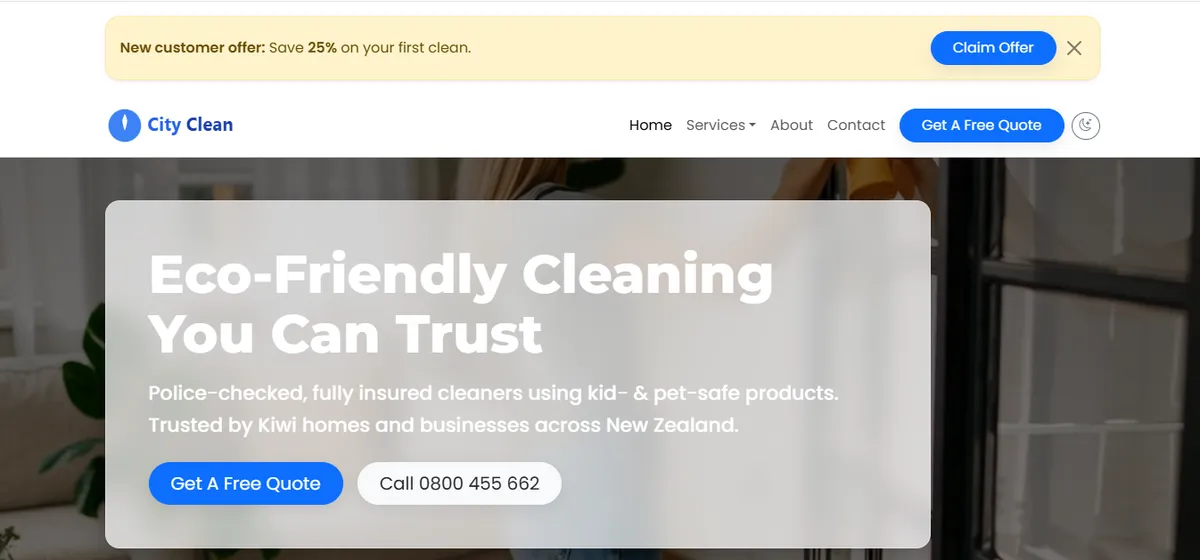
Our portfolio examples show layout patterns rather than promised business results. TurboCar Garage combines a booking path with a gallery. City Clean Services places enquiry links beside service and trust information. Your website should adapt those patterns to your own work, evidence and customer process.
Explain where and how you work
List the towns, districts or regions you genuinely serve. Explain travel conditions, job-size limits or appointment arrangements when they affect whether an enquiry is suitable. If customers cannot visit your business address, do not present it as a staffed storefront.
Google distinguishes service-area businesses, which travel to customers, from hybrid businesses that serve customers both at their premises and elsewhere. Its Business Profile guidance says service-area businesses should use one profile for the area they serve and should hide an address where customers are not served. Keep the website and Business Profile consistent with the way the business actually operates.
Pair a major service with an honest explanation of where it is available instead of publishing many near-identical location pages. If a boundary depends on job value, travel time or the day of the week, explain that condition. A truthful operating area helps the business avoid unsuitable leads and gives customers a clearer next step.
Set a realistic contact expectation supplied by the business owner, such as the days enquiries are reviewed or whether urgent jobs must be phoned through. Do not promise an immediate reply, emergency attendance or a fixed booking time unless the business can consistently meet it.
Give customers a useful quote path
A quote form should collect enough information to understand the enquiry without becoming an obstacle. For many tradies, useful starting fields are:
- the customer’s name and preferred contact method;
- the town or job location at an appropriate level of detail;
- the service or work requested;
- a short description and relevant timing; and
- optional photos or files only when the business can receive and protect them safely.
Do not request account passwords or unnecessary personal information. Avoid asking customers to upload confidential plans, identity documents or financial records through a general website form.
Explain why the information is collected and link to a privacy statement beside the form. The Office of the Privacy Commissioner says businesses should collect only personal information necessary for a lawful purpose and make the privacy statement easy to find at the point of collection.
Test the full enquiry journey before launch. Confirm that the form reaches the intended inbox or system, the customer sees an accurate confirmation message, and the business has a practical process for responding. A successful on-screen message alone does not prove that the enquiry was delivered.
Understand the build scope before work starts
Omniva Digital publishes this article and offers website design for tradies. The current tradie website offer, checked on 24 October 2026, is NZ$799 + GST, usually NZ$1,499 + GST. It is described as a one-off build price with no lock-in contract.
The published offer includes custom responsive design, click-to-call buttons, a quote request form, project gallery, service-area content, local SEO foundations, Google Analytics setup, launch support and six months of basic maintenance. It also states that the completed website belongs to the business after payment.
The written scope remains important. The published timeline is usually 2–4 weeks once the required business details, services, service areas, photos and feedback are available. The money-back guarantee applies to delivery of the website agreed in that written scope. Extra pages, custom integrations and substantial new content need a separate agreement. Domains, hosting, paid plugins, apps, subscriptions and advertising are separate third-party costs.
A larger site may fit the broader small-business website packages. For a wider explanation of build prices and recurring commitments, read How Much Does a Small Business Website Cost in New Zealand?
Check the site before launch
- Check every service, qualification and service-area statement with the owner.
- Confirm permission for project photos and remove private customer information.
- Test phone links, forms, confirmation messages and the actual delivery route.
- Place the privacy statement beside forms and review important pages on phone, tablet and desktop.
- Record ownership of the domain, hosting, website and software accounts, recurring charges and the maintenance end date.
- Agree who will update services, prices, photos, credentials and contact details after launch.
Prepare the business information before requesting a build
Gather the service list, service areas, verified credentials, contact process, brand assets and approved project photos before work begins. Provide account invitations where access is needed; do not send passwords in a website brief or ordinary email.
Use the tradie website enquiry form to discuss the current offer and written scope. If the business needs copy or a visual identity first, include content creation or logo design in the project discussion so the responsibility, timing and cost are clear.
About the writer
Omniva Digital
Editorial team
The Omniva Digital team shares practical ideas about website design, content, and making business websites easier to use.
Planning your next website?
Talk to Omniva about a website that fits your business.
Let’s talk about your website